YOUR AI, WITH A LITTLE MORE INITIATIVE
YankyBot.
A little team.
A lot off your plate.
Give your AI a memory, a browser and a pair of hands. Build a team that works on your Mac, using the subscriptions you already have.
Free app. Your subscriptions. Your rules.
 Words, handled.
 Details, checked.
A whole new way to work.
FROM “CAN YOU?” TO “HERE YOU GO.”
One conversation.
A team behind it.
Start with your Chief of Staff. Give each agent a job, a personality and an AI model. They can pass work between them and bring the result back to you.
Chief of StaffYour AI subscriptionA LITTLE LESS BUSYWORK
An illustrative workflow. This demo does not run AI or access your computer.
A FAMILIAR START
Bring your AI.
Make it your team.
No new AI subscription to juggle. YankyBot adds the workspace, memory and tools around the AI you already use.
- 01 /
Connect your subscription.
Sign in to Claude Code or Codex on your Mac. YankyBot uses that local sign-in, with your plan’s usual limits.
- 02 /
Give your agents a job.
Start with your Chief of Staff. Add a researcher, writer or another specialist, with its own role and memory.
- 03 /
Choose how they work.
Share a task or drop in a file. Let agents use their browser, or give them permission to work on your computer.
MORE CAPABLE. STILL YOUR CALL.
A pair of hands.
You hold the reins.
Agents can look at your screen, move the pointer and work in your apps. You choose the level of access, and can stop the action at any time.
A moment for your say-so.
Review a permission request before the agent takes a protected action. Allow it once, allow it for the task, or say no.
Always within reach ⌘ ⇧ Esc to stop
Chief of Staff · Waiting for youGood work.
Great company.
LESS REPEATING YOURSELF
The context stays.
The work moves on.
Give your team the background once. Each agent has its own memory, with shared files for the things everyone should know.
Your files, in the conversation.
Drop in documents, images or code and work from the same source material.
A proper place for “and one more thing.”
Follow-up messages wait in a visible queue while your agent is busy.
Make the useful things repeat.
Set a schedule for recurring tasks. They run while YankyBot is open and your Mac is awake.
THE PRICE OF A LITTLE HELP
Good AI is already
in your budget.
The team is on us.
A free alternative to the Grok Bot way of working: a persistent team of agents, powered by your existing Claude or ChatGPT subscription.
YankyBot is an independent app. It is not affiliated with xAI, OpenAI or Anthropic.
$0/ for the app
- Agents with their own roles and memory
- A built-in browser and computer tools
- File attachments, message queues and schedules
- Your choice of Claude or ChatGPT
Provider billing, usage limits and terms still apply. YankyBot does not include paid AI usage.
A FEW THINGS YOU MIGHT WONDER
Small bot.
Fair questions.
Is YankyBot really free?
The YankyBot app is free. It uses the Claude or ChatGPT access you already have through Claude Code or Codex. Those providers bill you separately, and their plan limits still apply.
Which AI subscriptions work?
YankyBot currently connects to Claude through a signed-in Claude Code installation, and ChatGPT through a signed-in Codex installation. You need a plan that includes access to the relevant tool. You can choose a provider and an available model for each agent.
Can it actually use my computer?
Yes. On macOS, after you grant Accessibility and Screen Recording permissions, agents can see the screen and use the mouse and keyboard. Choose read-only, ask-first or full-access mode. A visible indicator shows computer activity, and ⌘⇧Esc stops it.
Where do my chats and memory live?
Your agent history, memory and working files are stored on your Mac. Relevant prompts, files and screenshots are sent to the AI provider you use to complete a task. Connected services have their own data practices. “On your Mac” does not mean the AI runs offline.
Will scheduled tasks run while my Mac is asleep?
Local tasks need YankyBot running and your Mac awake. This is a desktop team, not an always-on cloud service. Keep your Mac available for work you want to run on a schedule.
Is this Grok Bot?
No. YankyBot is an independent app with its own code, characters and workspace. It offers a similar idea — persistent AI agents that do useful work — with your existing Claude or ChatGPT access and explicit controls for your Mac. It does not currently connect to a Grok subscription.
How can I try it?
YankyBot is in development for Mac. The public installer is being prepared. You can email the team for early access. There is no checkout or payment required for the app.
A LITTLE MORE KNOW-HOW
Make the team yours.
Getting started · 3 MIN READ
Your first AI team should be small.
Start with one clear job, one lead agent and a result you can check. A practical way to build an AI team on your Mac.
2 November 2026
Working with agents · 3 MIN READ
A good agent brief has a finish line.
A reusable six-part brief for AI agents: outcome, sources, scope, boundaries, output and verification.
2 November 2026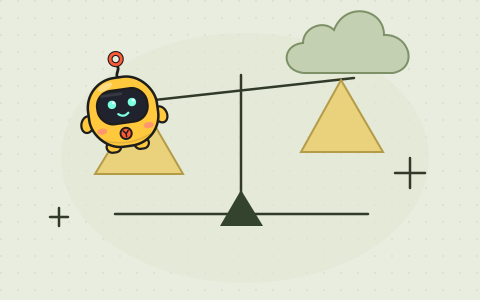
The overview · 3 MIN READ
YankyBot vs Grok Bot
Compare a free Mac workspace using your Claude or ChatGPT access with Grok Bot’s cloud-based agent team. Capabilities, availability and trade-offs.
2 November 2026MAKE ROOM FOR THE GOOD STUFF
Your next teammate
is a little different.
YankyBot for Mac is coming together.
Want to be one of the first to put your team to work?